Commercial Activation Quick-Start Guide
How to activate your Peloton Bike, Bike+, or Row+
What you’ll need
To activate your Peloton Bike, Bike+, Tread+, or Row(s) and commercial subscription, you will need:
- Your fitness facility’s WiFi password
- Your location passcode
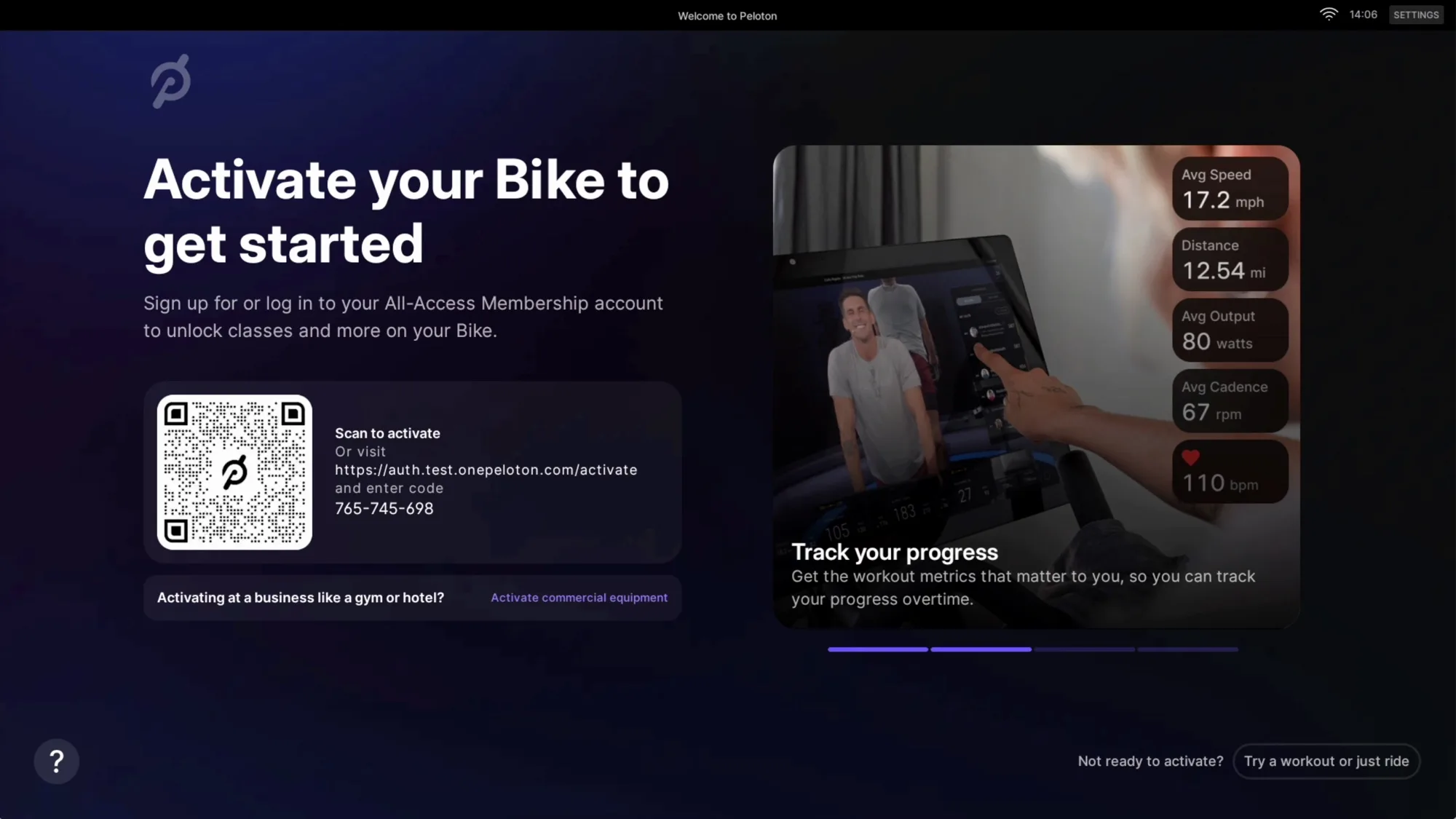
Step 1
Tap Activate Commercial Equipment in the section below the QR code.
🚨 IMPORTANT: Do not scan the QR code or go to the web link. This option is for at-home equipment, not for commercial subscriptions.
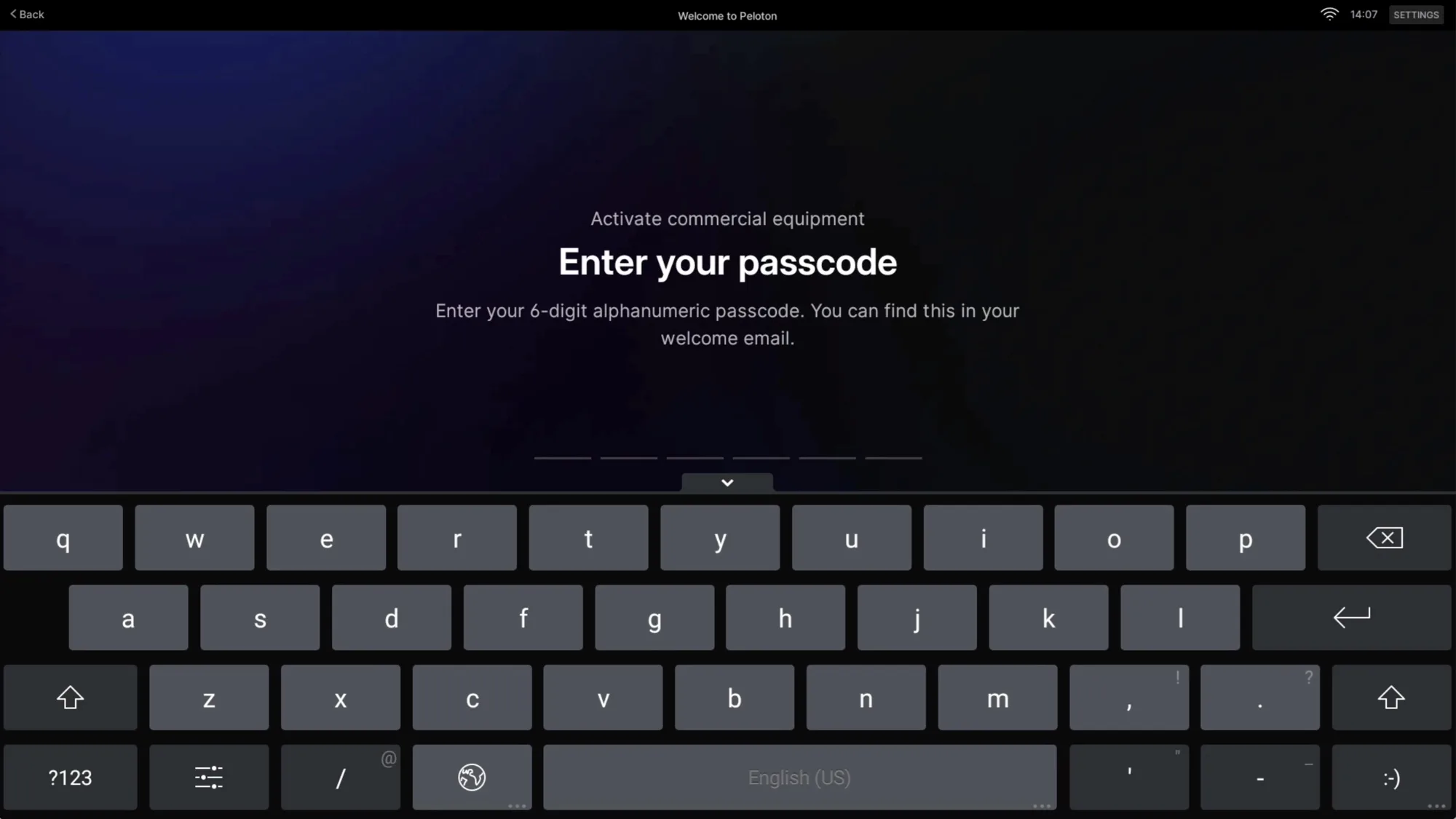
Step 2
Enter the six-digit passcode associated with the commercial subscription for your location. Tap Start Activation. Note, you will have 1 Passcode for all devices at each location.
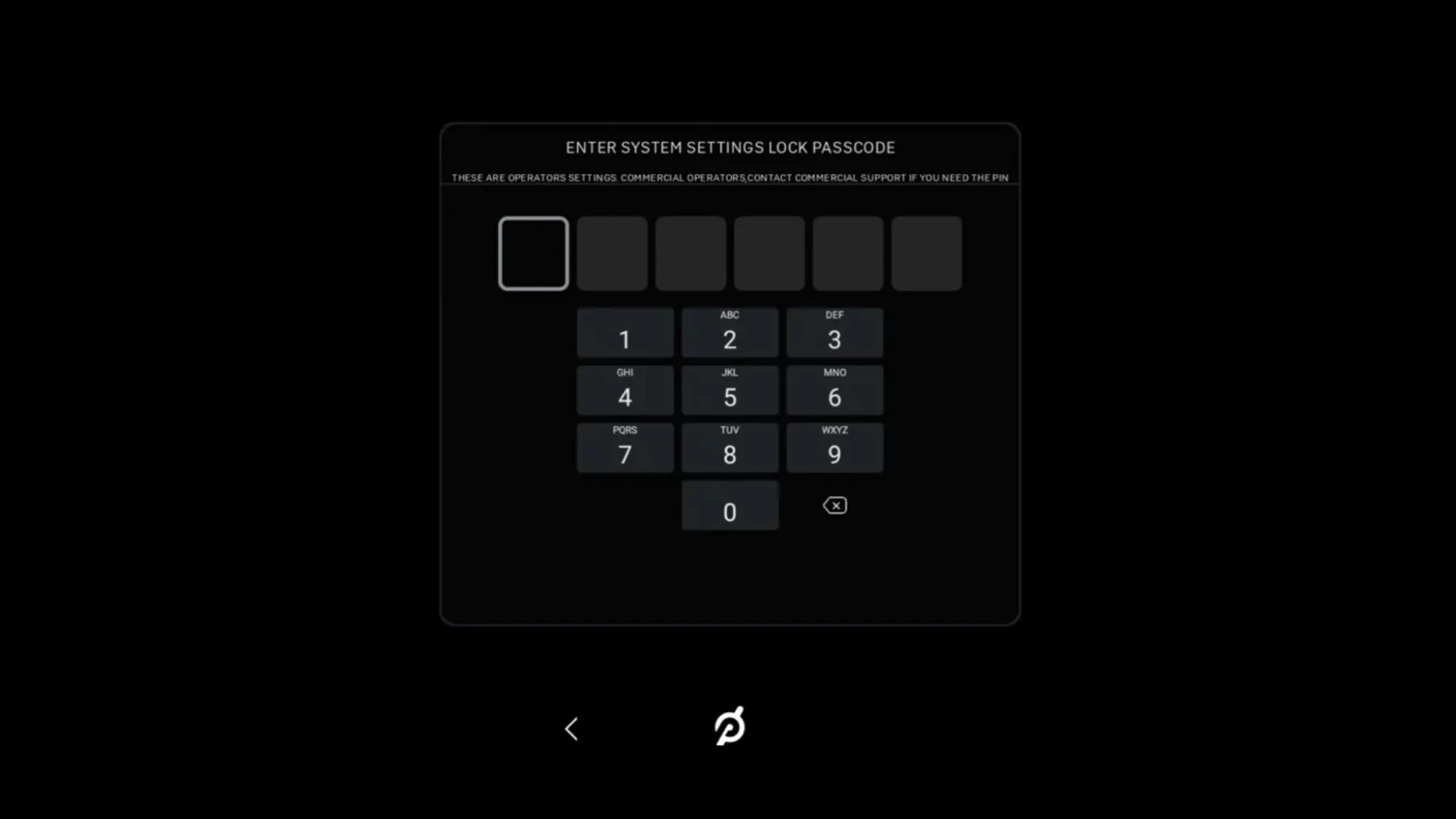
Step 3
On your screen, when you click Device Settings, you will be prompted to enter a 6-digit PIN to update device settings, including WiFi and Bluetooth. To access the PIN, please refer to the onboarding documentation email where you found your passcode. Use this PIN any time you’d like to make changes in the future.
Don't know the pin? Contact Commercial Support at 855-662-7356 for help.
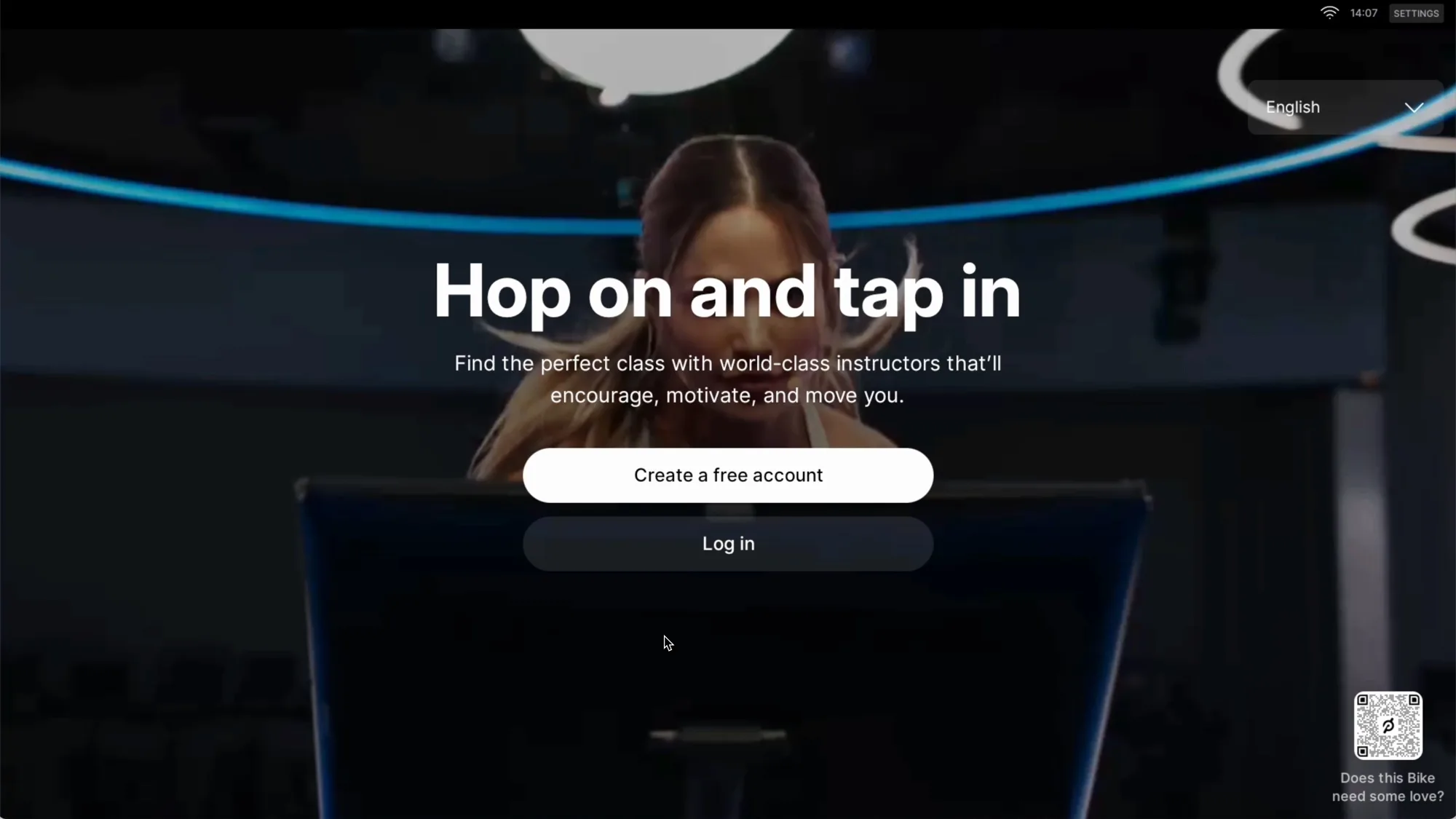
All done!
Consider this the “homepage” for your Peloton Bike/Bike+/Row+/Tread+(s) for commercial use. From this screen, your exercisers can create their own accounts and enjoy the full Peloton experience for free—Peloton Members and first-time Peloton users alike.